Kneeboard Cards & Downloads
Print-ready reference cards for your flight bag — built on the same FAA/NWS formulas as the calculators, and branded so a hangar friend can find their way back here.
Every card is half-letter (5.5×8.5″) — print at 100% / actual size and two fit on one letter sheet. They print clean on white to save ink. Free, no sign-up, yours to share.
Printable Kneeboard Cards
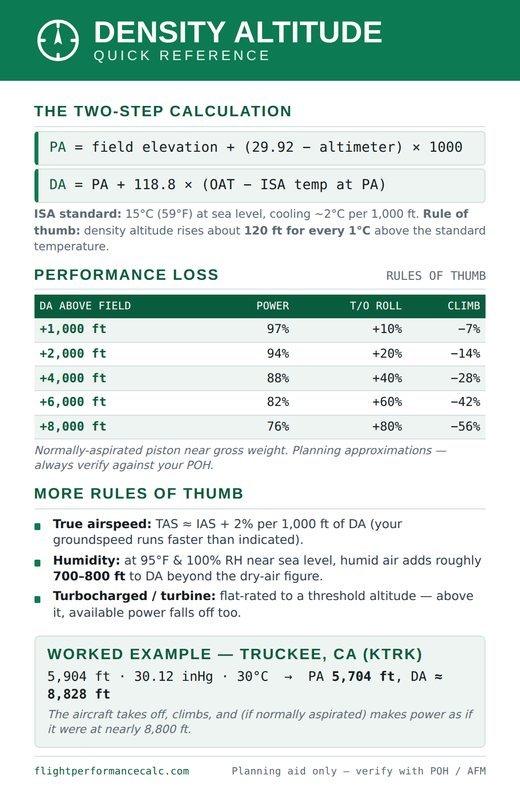
Density Altitude Quick Reference
The two-step PA/DA formula, the ISA standard day, a performance-loss table (power, takeoff roll, climb), and a worked Truckee example.
Download PDF ↓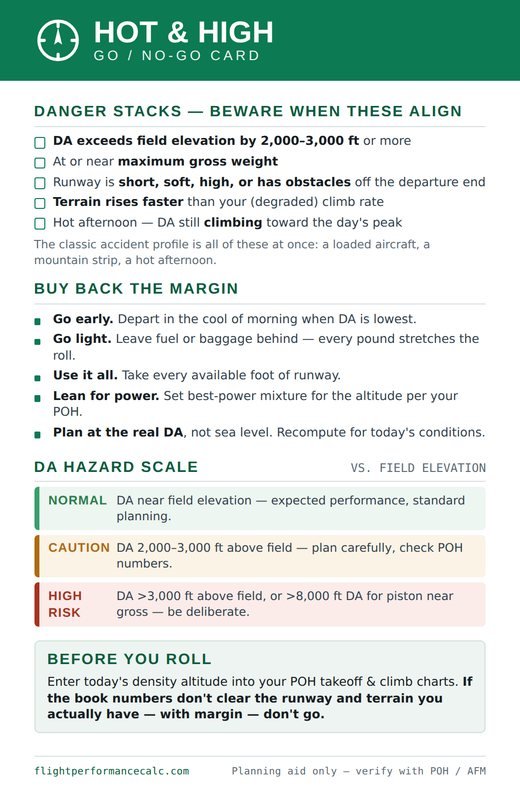
Hot & High Go / No-Go
A danger-stack checklist, mitigations to buy back margin, a color-coded DA hazard scale, and the before-you-roll gut check.
Download PDF ↓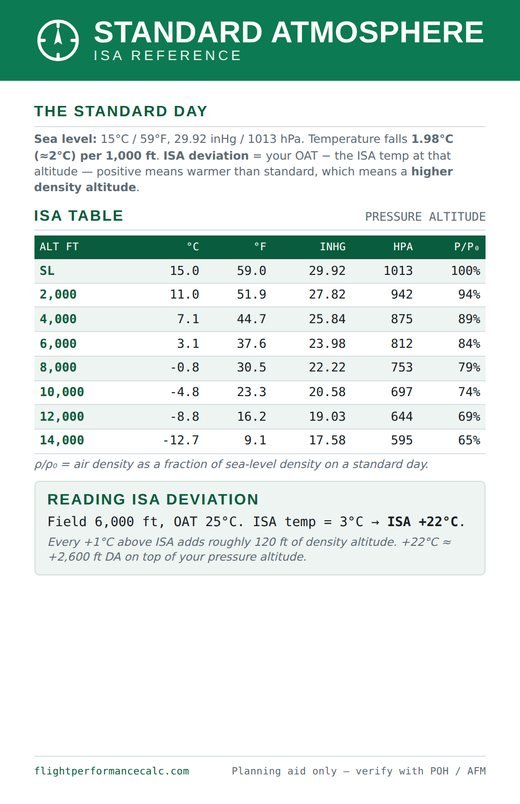
Standard Atmosphere (ISA)
Temperature, pressure (inHg & hPa), and relative density from sea level to 14,000 ft — plus how to read ISA deviation.
Download PDF ↓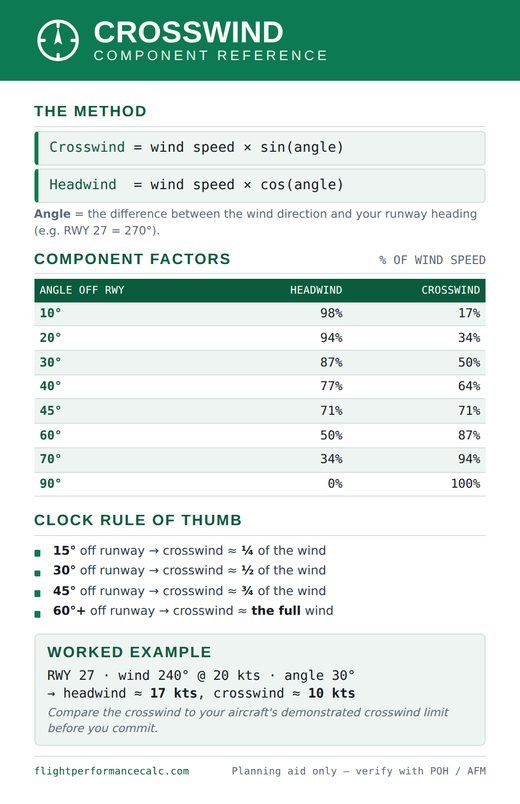
Crosswind Component
Headwind and crosswind factors by wind angle, the clock rule of thumb, and a worked example to check against your demonstrated limit.
Download PDF ↓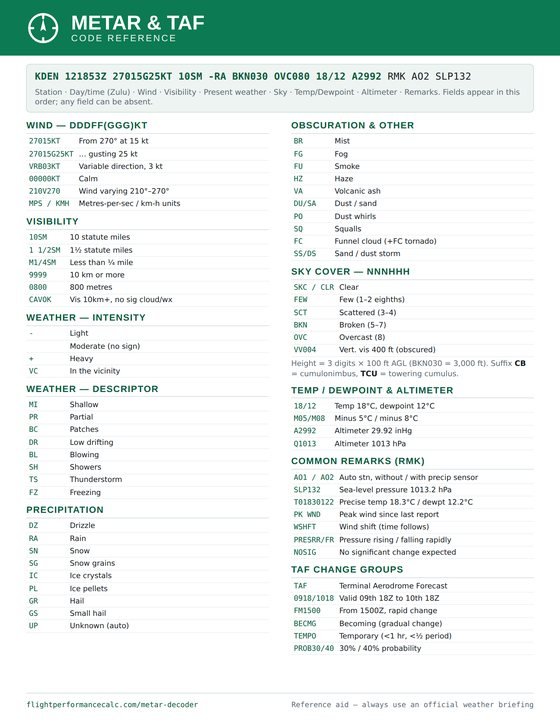
METAR & TAF Code Reference
Every METAR/TAF code on one letter-size sheet — wind, visibility, weather, sky, remarks and TAF change groups. Pairs with the decoder tool.
Download PDF ↓Aviation Flashcards
Four decks — 96 cards covering weather & METARs, airspace, radio & ATC, and aerodynamics. Study them free online with tap-to-flip and progress tracking, or take them with you in print or Anki. Free, no sign-up.
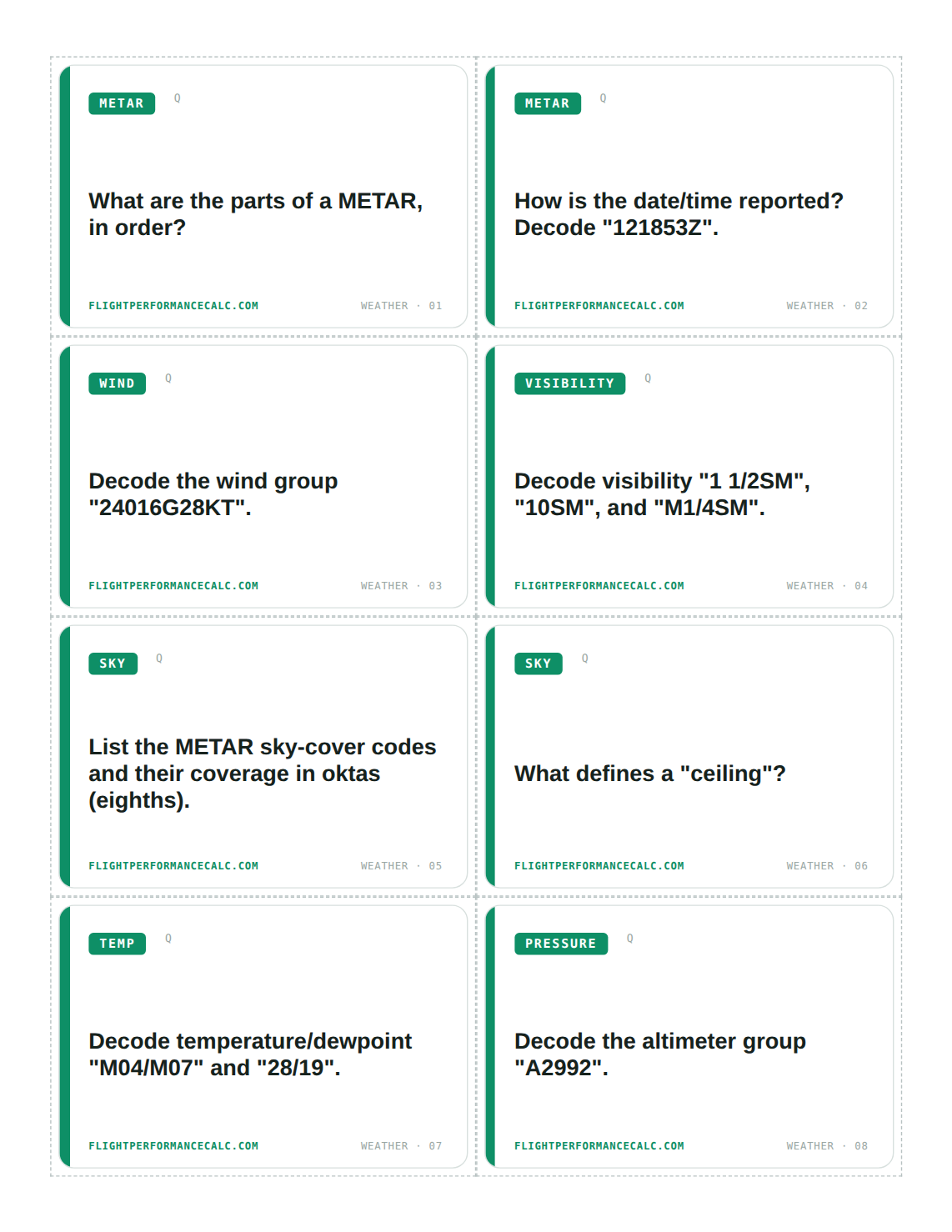
Anki Deck (Spaced Repetition)
Import one file into Anki and get all four decks, nested and ready. The algorithm brings back exactly the cards you keep missing — the most efficient way to make it stick, on any device.
Download .apkg →Study Online (Interactive)
No install — flip, shuffle, and track what you know right in the browser. Progress saves on your device so you can pick up where you left off between lessons.
Open the decks →Just One Topic?
Grab a single printable deck:
Weather & METAR · Airspace · Radio & ATC · Aerodynamics & Lift
Make Your Own
METAR Decoder
Paste, type, or photograph a METAR and get a plain-language breakdown — wind, visibility, weather, clouds, temp and altimeter. The photo reader runs on your device; nothing is uploaded.
Open the decoder →Your Aircraft Performance Card
Pick your aircraft, pull live airport weather, and print a personalized one-page performance card for your exact conditions — takeoff roll, power, climb and TAS — with a plain reference-only warning.
Open the calculator →Install It On Your Phone
Add FlightPerformanceCalc to your home screen and it runs offline at the hangar — no signal needed. The green gauge becomes an app icon on your device.
iPhone: Share → Add to Home Screen. Android: menu → Install app.